🍌Nano Banana 2.1 AI Image Generator
Create portraits, posters, and product images from text or reference photos, with clearer lettering and more consistent subjects.
Use the Nano Banana AI image generator on Raphael to explore ideas in 1K, 2K, or 4K. Nano Banana 2.1 supports up to 14 reference images for photo editing and multi-image compositions. Describe the changes you want, choose an aspect ratio, and review the credits before generating.
Nano Banana 2.1 examples and prompts
Explore official Google examples for Nano Banana 2.1. Try the reference prompts below, then change the subject, setting, or lighting to make the idea your own.
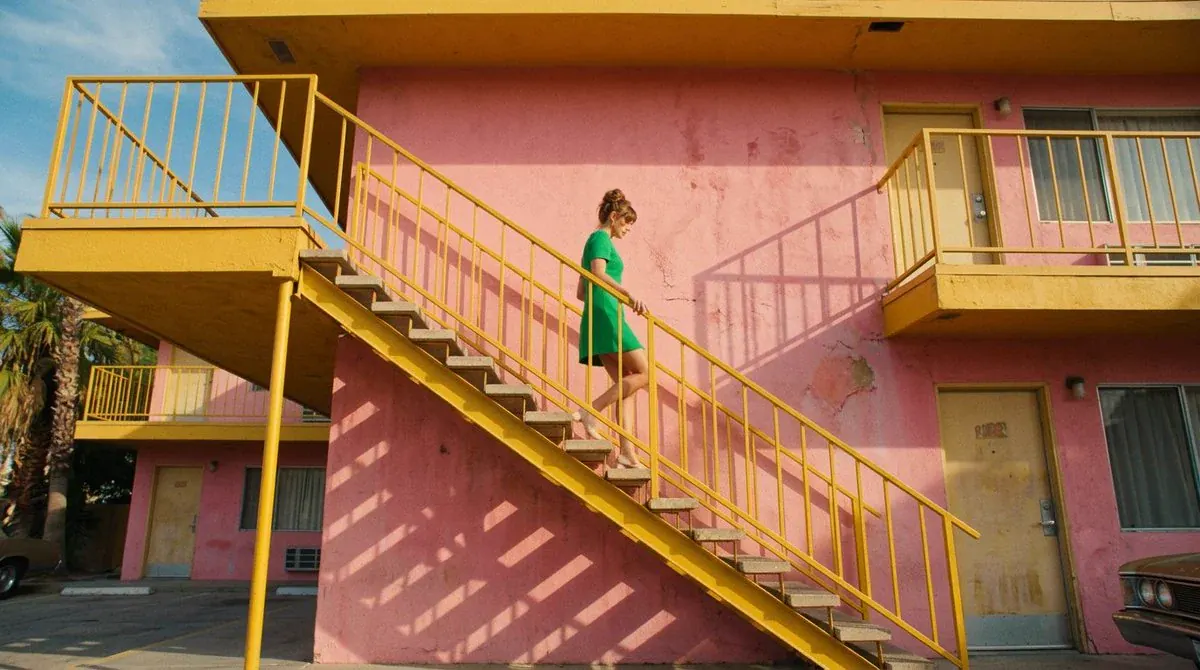
Compose a widescreen photograph of a sunlit vintage motel, using a low viewpoint that emphasizes the building's architecture. A yellow metal staircase crosses a weathered pink wall, creating a strong diagonal through the frame. Place an adult woman wearing a green dress halfway down the stairs, one hand resting on the railing. Include the upper walkway, repeating railings, doorways, and a small area of clear blue sky. Let direct sunlight cast sharply defined geometric shadows across the stucco. Balance the warm building colors against the green clothing, preserving realistic skin, fabric, paint, and metal textures. Aim for the atmosphere of a carefully composed film scene. Landscape format, 16:9.
Nano Banana image editing, design, and detail
See Nano Banana 2.1’s improvements in official Google examples, with condensed prompts for visual design, photo editing, and realistic textures.
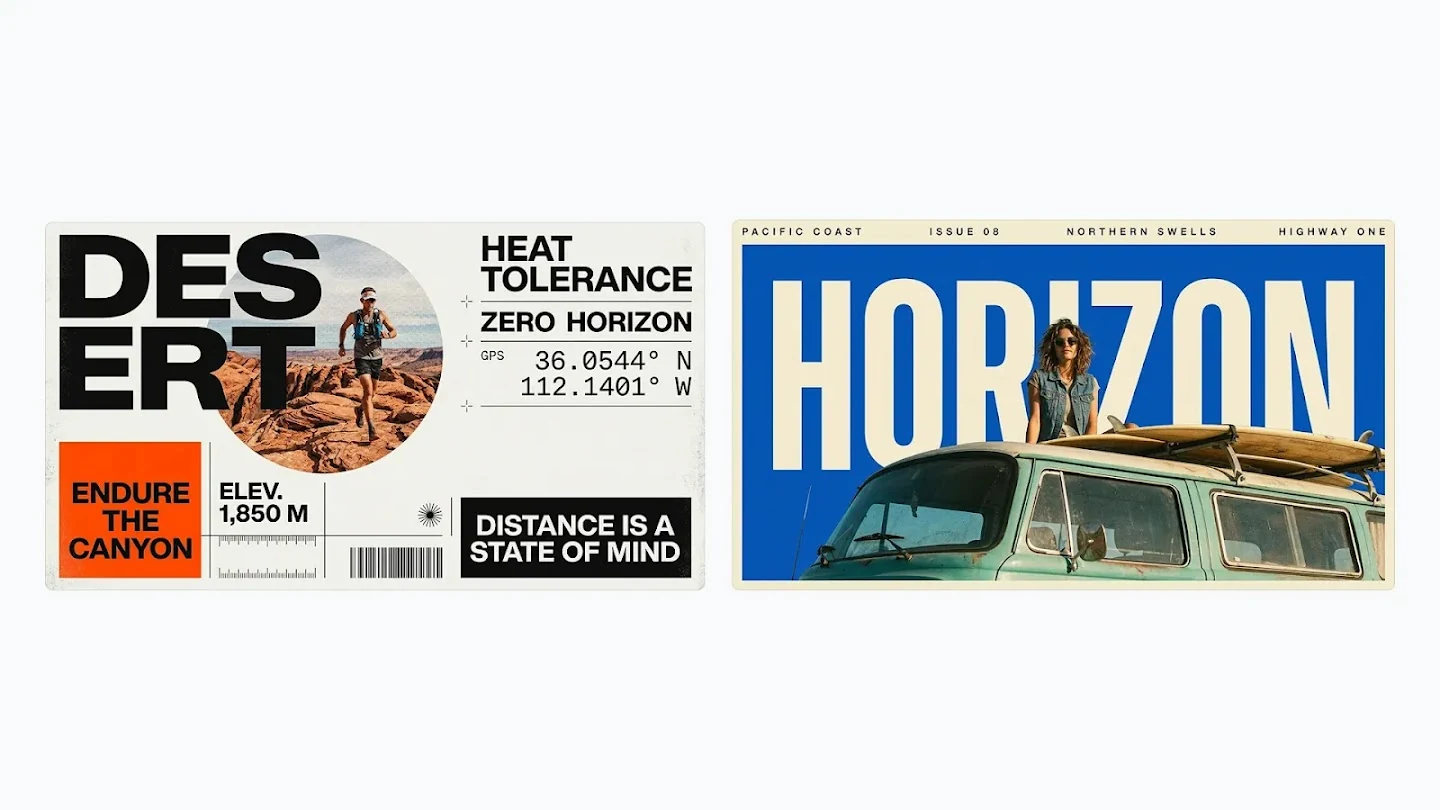
Poster design and readable text
Combine bold lettering, people, and geometric shapes in a complete poster design. Nano Banana 2.1 improves text rendering and layout accuracy for marketing visuals and infographics. Specify the wording, font style, and placement in your prompt.
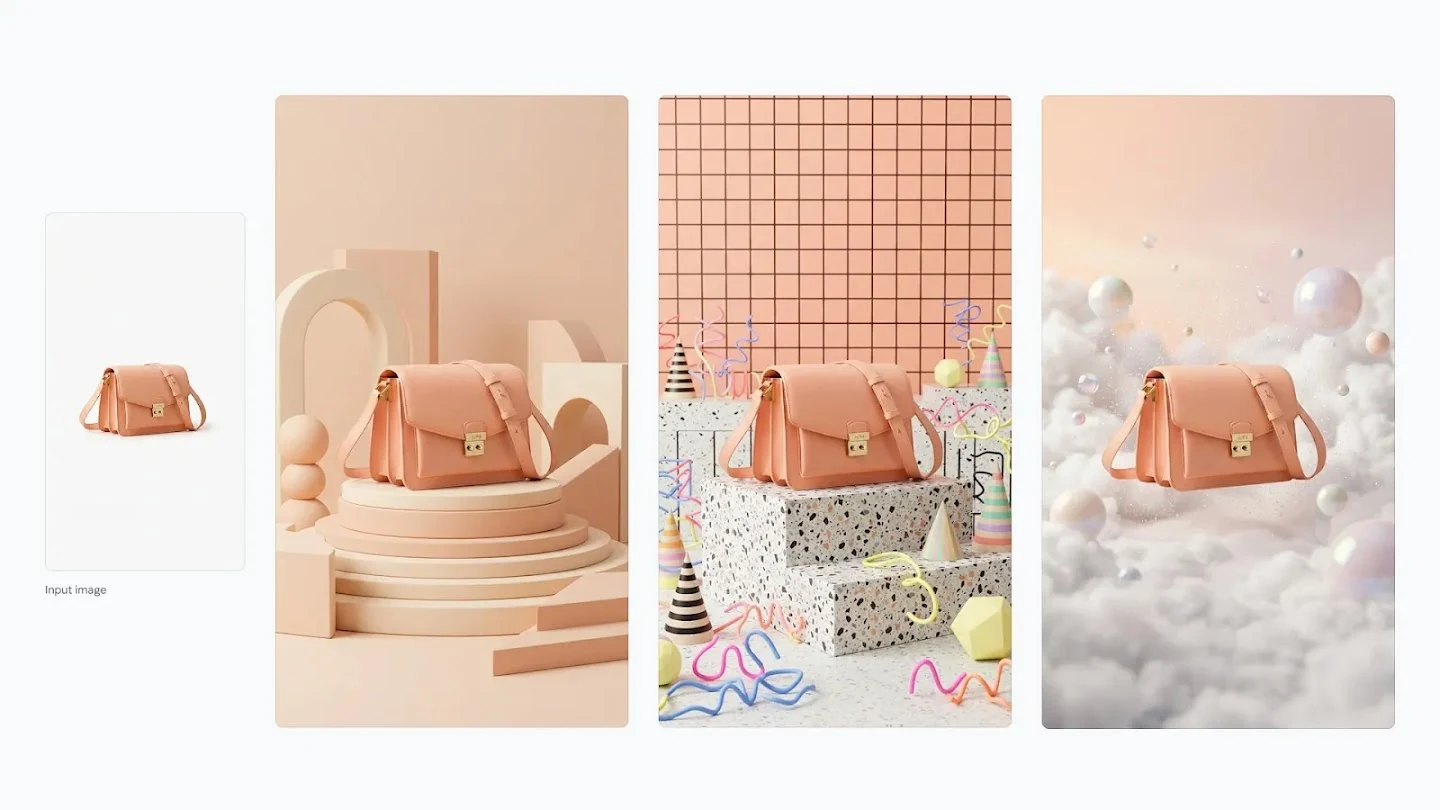
Product photo editing with a consistent subject
Use a product reference to explore different backdrops and lighting while retaining its defining shape, color, and hardware. These official handbag examples show how Nano Banana image editing can support a coordinated product collection.
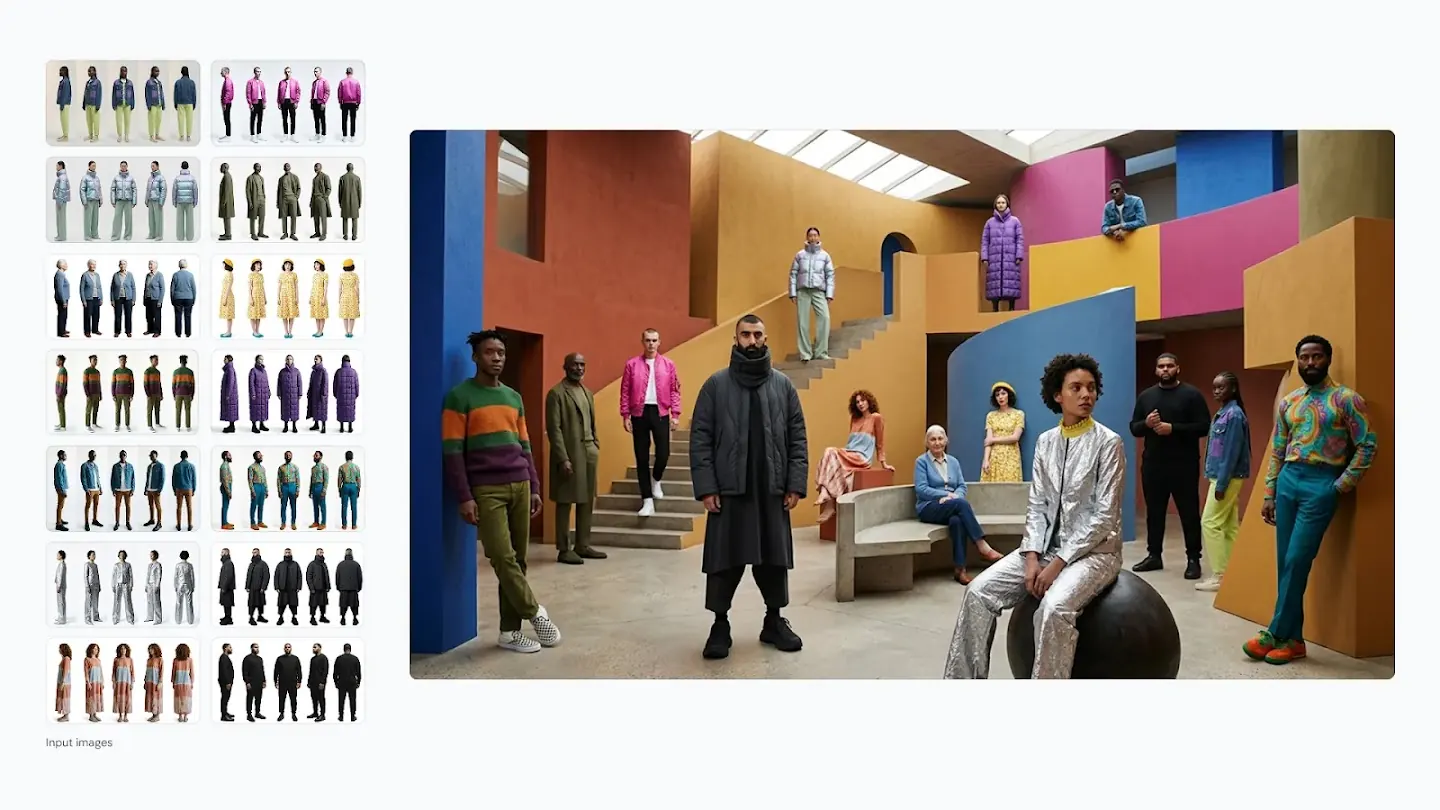
Multi-image compositions and character consistency
Bring people from separate reference photos into one scene. Nano Banana 2.1 improves character consistency and multi-image fusion, helping retain recognizable faces and outfits while you change the setting or composition.
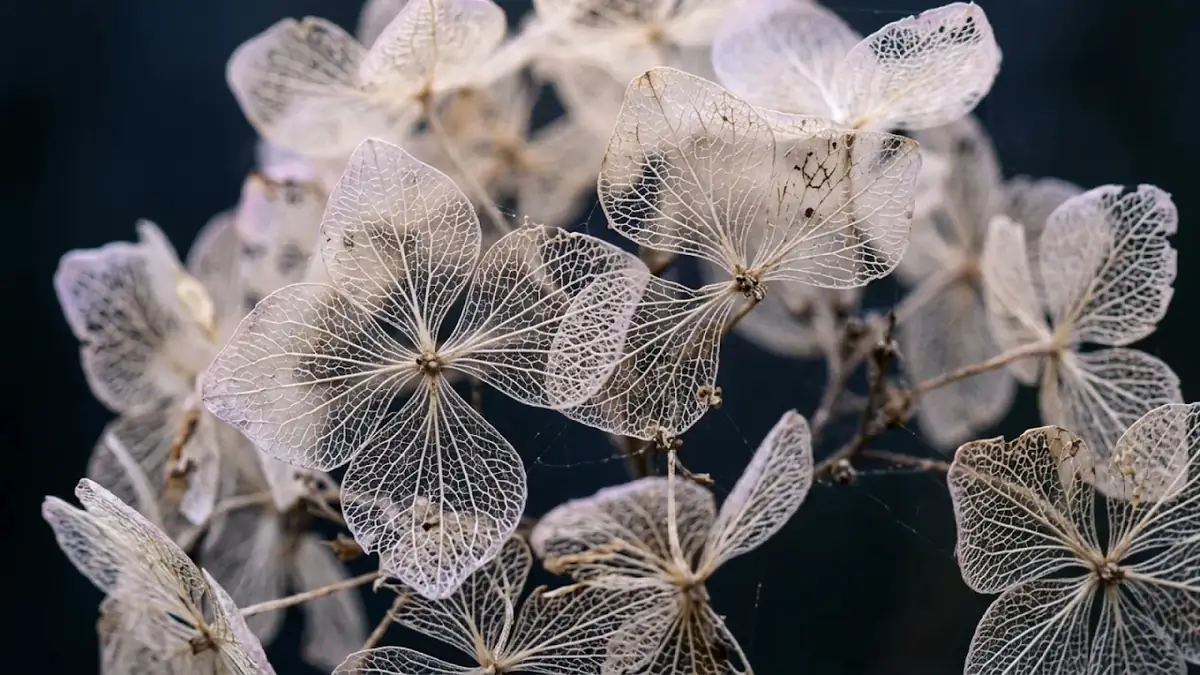
Natural textures and fine detail
Explore translucent petals, delicate veins, and softly blurred backgrounds in close-up imagery. Nano Banana 2.1 improves realism and visual detail, giving nature studies and editorial illustrations a more natural appearance.
Explore other models
Switch between top image models in one generator.
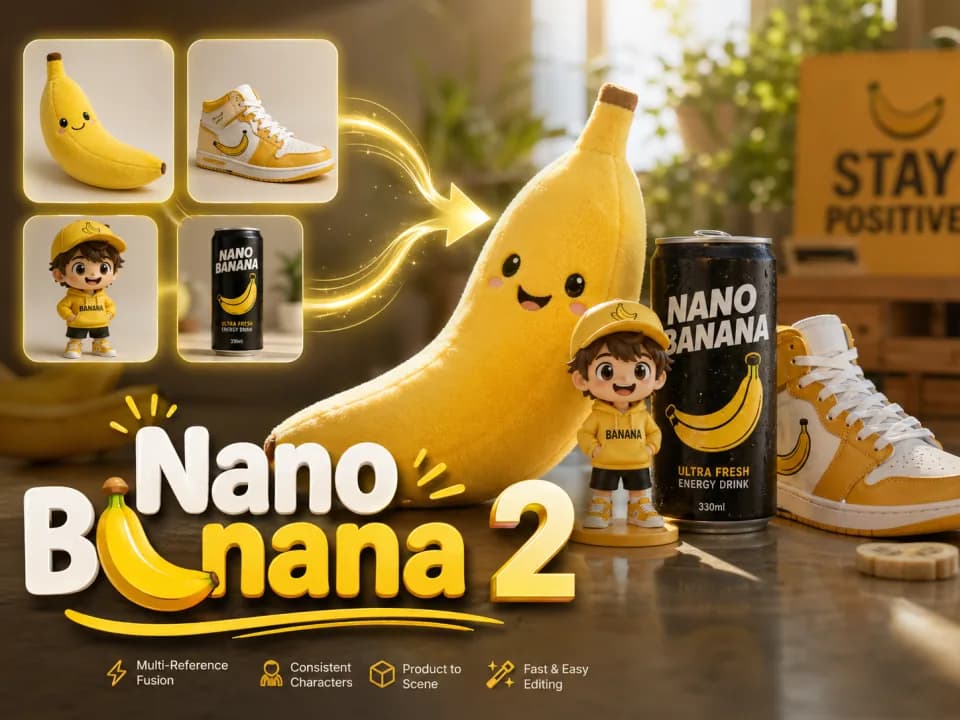
Nano Banana 2
Multi-reference edits with fast style control.
Nano Banana 2 Lite
Fast 1K generation and editing for 11 credits.
GPT Image 2.5
Flare: fast creation, reference fidelity and natural detail.
GPT Image 2
Precise prompts, clean text, product shots.
Seedream 5.0 Lite
Cinematic realism and dramatic lighting.
Seedream 5.0 Flash
Affordable, fast image generation and multi-reference editing.
Nano Banana 2.1 vs Nano Banana full lineup
Compare resolutions, search options, and credits across the Nano Banana family. Version 2.1 improves visual quality, lettering, and subject consistency while retaining Flash-level speed.
| Feature | Nano Banana | Nano Banana 2 Lite | Nano Banana 2 | Nano Banana 2.1 ★ | Nano Banana Pro |
|---|---|---|---|---|---|
| Resolution | 1K | 1K | Up to 4K | 1K / 2K / 4K ★ | Up to 4K |
| Speed | Fast | About 4 seconds, about 2.7x faster | Very Fast | Flash-level speed ★ | Slower (High Quality) |
| Web Search | No | No | Yes | Web + Image Search ★ | Yes |
| Credits | 9 credits | 11 credits | 15/23/34/51 credits | 16/21/42 credits ★ | 45/45/80 credits |
| Best For | Quick drafts | High-frequency iteration | Daily use | Design & consistency ★ | Professional work |
Try other Nano Banana models
Choose Your Plan
Free images include a watermark. Upgrade for clean outputs, faster generation, and commercial use.
Pro
-50%Unlimited Model Benefits
 Seedream 3.5Unlimited
- Seedream 3.5 ProUnlimited Not Included
 MiniMax H3 TurboUnlimited Not Included
- MiniMax H3Unlimited Not Included
- Upgrade to unlock all advanced models and enjoy exclusive discountsMiniMax H3-70%
 Gemini
 Nano Banana
 GPT-50%Seedream-40%Veo
 Seedance 2.5
 Kling
Kling - 2,000 credits per month
- Up to 2,000 fast images
- Up to 200 basic videos
- Priority queue
- No watermarks
- Batch processing with AI tools
- Full privacy
Ultimate
-50%Unlimited Model Benefits
- Seedream 3.5Unlimited
- Seedream 3.5 ProUnlimited
- MiniMax H3 TurboUnlimited Not Included
- MiniMax H3Unlimited Not Included
- Upgrade to unlock all advanced models and enjoy exclusive discountsMiniMax H3-70%GeminiNano BananaGPT-50%Seedream-40%VeoSeedance 2.5Kling
- 5,000 credits per month
- Up to 5,000 fast images
- Up to 500 basic videos
- Highest priority queue
- No watermarks
- Batch processing with AI tools
- Full privacy
Max
-50%Unlimited Model Benefits
- Seedream 3.5Unlimited
- Seedream 3.5 ProUnlimited
- MiniMax H3 TurboUnlimited
- MiniMax H3Unlimited
- Upgrade to unlock all advanced models and enjoy exclusive discountsMiniMax H3-70%GeminiNano BananaGPT-50%Seedream-40%VeoSeedance 2.5Kling
- 10,000 credits per month
- Up to 10,000 fast images
- Up to 1,000 basic videos
- Highest priority queue
- No watermarks
- Batch processing with AI tools
- Full privacy
Nano Banana 2.1 FAQ
A practical Nano Banana prompt guide, with answers on photo editing, 4K output, image search, and model differences.
What is Nano Banana 2.1?
Nano Banana 2.1 is Google’s update to Nano Banana 2 for image generation and editing. It improves visual quality, instruction following, text rendering, and subject consistency. On Raphael, you can create from a text prompt or use reference photos to guide an edit.
How do I use Nano Banana on Raphael?
Choose Nano Banana 2.1, describe your subject, composition, lighting, and style, then select the aspect ratio and resolution. Add reference images if needed, review the total credits, and generate. Prompts can contain up to 3,000 characters, and you can request 1–4 output images at a time.
How do I use Nano Banana to edit photos?
Upload a photo and describe what to change, such as the background, clothing, or lighting. Also state what to preserve, such as facial features or a product’s shape. Nano Banana 2.1 accepts up to 14 reference images in JPG, PNG, or WebP format, with a maximum of 20MB per image.
What does image search do in Nano Banana 2.1?
With Image Search enabled, Nano Banana 2.1 can look up visual references on the web to help depict specific landmarks, buildings, or real-world objects. Name the subject clearly in your prompt, for example: “Create a watercolor illustration of the Sagrada Família in Barcelona, retaining its architectural details.”
How do I write Nano Banana prompts for photo editing?
Describe the change first, then list the details to keep. For a product photo, try: “Place this handbag on a cream pedestal with soft studio lighting. Keep its peach color, gold clasp, and original shape.” For a portrait, specify the new setting and which facial or clothing details should stay consistent.
Can Nano Banana 2.1 generate 4K images?
Yes. Choose 1K, 2K, or 4K output and a square, portrait, landscape, or panoramic aspect ratio. Auto aspect ratio is also available. Actual pixel dimensions depend on the chosen ratio. Use 1K to explore ideas and a higher resolution when your design needs more detail.
How does Nano Banana 2.1 compare with Nano Banana 2 and Pro?
Nano Banana 2.1 updates Nano Banana 2 with better visual detail, typography, and subject consistency while retaining Flash-level speed. Nano Banana Pro is an alternative for professional work. Use the comparison above to check the resolution, search support, and credits that fit your task.
What is the difference between web search and image search?
Web search helps bring current information into an image, such as weather data for a forecast graphic. Image search provides visual references for a subject’s appearance. Enable either option or both to suit your scene; each enabled option adds 5 credits per output image.