
WAND-Vega-Video AI Video Generator
Generate 4–30 second 4K videos from text, start and end frames, or image, video, and audio references, with optional synchronized sound.
WAND-Vega-Video brings text-to-video, frame-to-frame AI video, and multimodal reference-to-video AI into one workspace on Raphael. Anchor a shot with a first frame or both start and end frames, or guide motion, style, and pacing with up to 30 images, 10 videos, and 10 audio clips (up to 50 reference files total). Generate any whole-second length from 4 to 30 seconds at 480p, 720p, 1080p, 2K, or 4K, keep synchronized dialogue and ambience on or switch to silent output, and export directly in MP4 or MOV.
AI Enhance
0 / 3,000
Reference Images (Optional)
0 / 3,000
AI Enhance
Model
Aspect Ratio
Output Number
Resolution
Quality
Output Format
Fast
Loading video models...
WAND-Vega-Video Video Examples
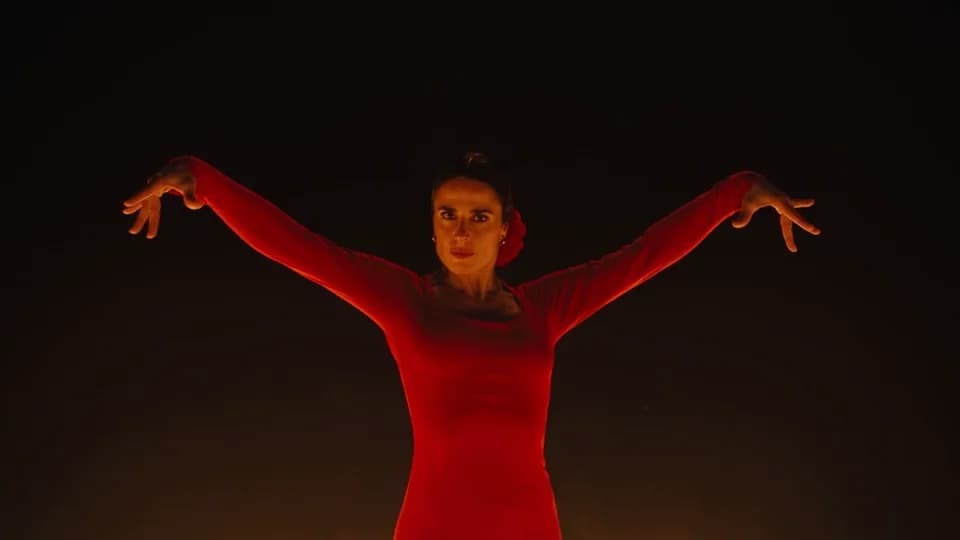
Smooth camera motion, start-and-end frame control, synchronized dialogue and ambience, and fluid continuous transformations.
Official WAND-Vega-Video example
Dialogue in a rainy café
Suggested prompt
What You Can Create with WAND-Vega-Video
Combine start-and-end frame control, multimodal reference-to-video AI, synchronized sound, and 4K export in one workflow.
Official WAND-Vega-Video example
Dialogue & AI Video with Sound
Describe spoken lines, delivery, and background ambience right in your prompt. Synchronized audio is on by default, and you can turn it off whenever you want silent footage.
Official WAND-Vega-Video example
Start and End Frame AI Video Control
Anchor your opening shot with a single first frame, or pair a start and end frame to guide frame-to-frame AI video motion cleanly from reveal to final close-up.
Official WAND-Vega-Video example
Multimodal Reference to Video AI
Bring up to 30 images, 10 video clips, and 10 audio tracks (50 files max) into one request to steer subjects, motion, and look. This WAND-Vega-Video preview shows city footage restyled as watercolor.
Official WAND-Vega-Video example
Up to 30-Second, 4K Continuous Motion
Generate multi-beat transformations from text alone and scale from fast 480p drafts up to 4K MP4 or MOV—here, a swarm of bees forms an amber perfume bottle in one unbroken shot.

Kling 4.0
3–30 second video with keyframes and multimodal references.

Kling 4.0 Flash
3–20 second 720p video from text, one image, or references.
 NEW-35%
Seedance 2.5 Flash
Faster, lower-cost 480p / 720p video up to 30 seconds with multimodal references and native audio.
 -35%
Seedance 2.5
Up to 1080p and 30 seconds with multimodal references and native audio.
 -60%
Wan 3.0
Multimodal video up to 30 seconds, with optional sound.
 -60%
Wan 3.0 Prime
Faster multimodal video, up to 30 seconds.
Choose Your Plan
Free images include a watermark. Upgrade for clean outputs, faster generation, and commercial use.
WAND-Vega-Video FAQ
Generation modes, multimodal reference limits, 4K export formats, audio controls, and credits for WAND-Vega-Video on Raphael.
1
Which generation modes does WAND-Vega-Video support?
WAND-Vega-Video supports text-to-video, first-frame or start-and-end frame AI video (image-to-video), and multimodal reference-to-video AI using images, videos, and audio together.
2
How long can a clip be?
Pick any whole-second duration from 4 to 30 seconds (the generator starts at 4 seconds), so you can make both quick product hooks and 30-second AI video sequences.
3
How many files can I use for reference-to-video AI?
You can combine up to 30 images, 10 video clips (2–15 seconds each), and 10 audio clips (up to 30 seconds combined), capped at 50 reference files per request. Audio references require at least one image or video in the same request.
4
Which resolutions and export formats are available?
Draft quickly at 480p or 720p, or render polished shots at 1080p, 2K, or 4K. Every clip exports in your choice of MP4 or MOV.
5
Can I generate AI video with sound or silent clips?
Yes. Synchronized audio—including dialogue and ambient sound—is enabled by default. Turn audio off in the generator settings anytime to export silent MP4 or MOV footage.
6
How are credits calculated?
Credits depend on output resolution, clip duration, output count, and any reference video length. Reference images and audio clips do not add separate credit charges.
