
AI GIF Generator
Turn a photo or a few words into a custom reaction GIF with  GPT Image 2.6 Flare or Sunburst.
AI GIF Generator
GIF Reaction Examples
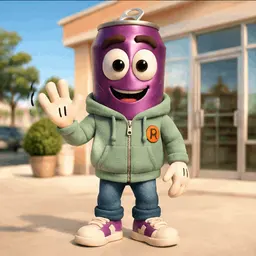
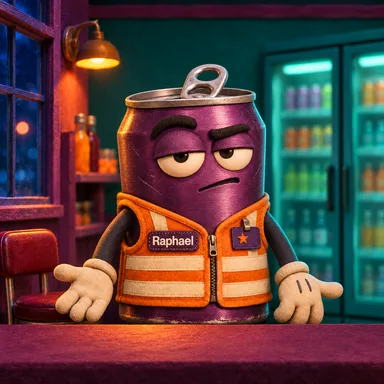
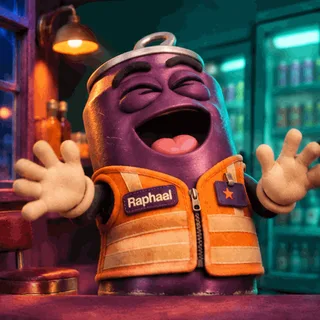
Soda Can · Corner Store
Little Otter · Everyday Reactions
What Can You Do with GIFs?
See how a short animation can capture a reaction, demonstrate a web feature, or bring a still illustration to life.
Character reaction sets
Make the same character laugh, wave, and react in different ways, then share the set in chats and comments.

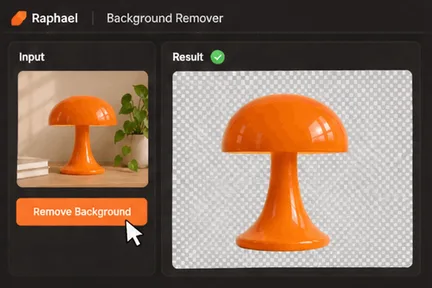
Web feature demos
Show an action and its result in seconds. This example shows a desk lamp losing its background after a click.
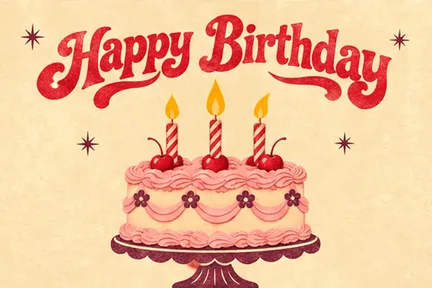
Make a happy birthday GIF
Animate the candles on a birthday card, then send the looping greeting to a friend.
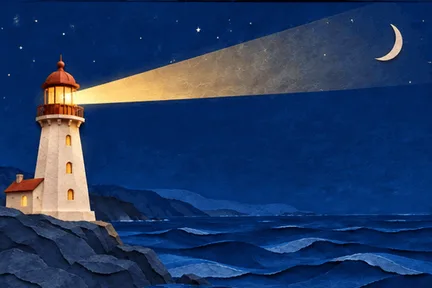
Looping illustrations
Sweep a lighthouse beam over a paper-cut coast to give a web banner or presentation a little movement.
AI animated GIF generator features
AI image to GIF
Upload a photo or illustration and describe the motion. The image guides the character's appearance, composition, or visual style.
Generate a GIF from text
Describe the subject, scene, and action to create a looping GIF.
Make custom meme GIFs
Describe a reaction like a laugh, a wave, or a slow clap. Add your own character image to create a GIF for chats and comments.
Set the frame count
Choose from 2 to 16 frames. Each frame lasts 0.2 seconds, so more frames make a longer loop.
Choose the ratio and quality
Choose a square, wide, or vertical format. Adjust the quality and output count to try several versions at once.
Adjust motion planning
Choose low, medium, or high planning based on the complexity of the motion, from a single wave to a sequence of actions.
How to generate a GIF
Describe the motion, choose a frame count and aspect ratio, then generate and download your animation with the AI GIF maker.
Describe the action
Tell the AI GIF creator what should move. For example, a soda-can clerk throws his head back laughing, then settles down. You can also add a reference image.
Choose settings and generate
Select the model, ratio, quality, and frame count. Check the credits on the Generate button before submitting.
Preview and download
Check the motion and loop in your result, then download the GIF when you're happy with it.
Choose Your Plan
Free images include a watermark. Upgrade for clean outputs, faster generation, and commercial use.
Pro
-50%Unlimited Model Benefits
 Seedream 3.5Unlimited
- Seedream 3.5 ProUnlimited Not Included
 MiniMax H3 TurboUnlimited Not Included
- MiniMax H3Unlimited Not Included
- Upgrade to unlock all advanced models and enjoy exclusive discountsMiniMax-70%
 Gemini
 NanoGPT-50%Seedream-40%Veo
 Seedance
 Kling
 Grok
 Wan
- 2,000 credits per month
- Up to 2,000 fast images
- Up to 200 basic videos
- Priority queue
- No watermarks
- Batch processing with AI tools
- Full privacy
Ultimate
-50%Unlimited Model Benefits
- Seedream 3.5Unlimited
- Seedream 3.5 ProUnlimited
- MiniMax H3 TurboUnlimited Not Included
- MiniMax H3Unlimited Not Included
- Upgrade to unlock all advanced models and enjoy exclusive discountsMiniMax-70%GeminiNanoGPT-50%Seedream-40%VeoSeedanceKlingGrokWan
- 5,000 credits per month
- Up to 5,000 fast images
- Up to 500 basic videos
- Highest priority queue
- No watermarks
- Batch processing with AI tools
- Full privacy
Max
-50%Unlimited Model Benefits
- Seedream 3.5Unlimited
- Seedream 3.5 ProUnlimited
- MiniMax H3 TurboUnlimited
- MiniMax H3Unlimited
- Upgrade to unlock all advanced models and enjoy exclusive discountsMiniMax-70%GeminiNanoGPT-50%Seedream-40%VeoSeedanceKlingGrokWan
- 10,000 credits per month
- Up to 10,000 fast images
- Up to 1,000 basic videos
- Highest priority queue
- No watermarks
- Batch processing with AI tools
- Full privacy
AI GIF generator FAQ
Find out how to make GIFs from images or text, adjust the frame count, and check the credit cost.
How do I turn a still image into a GIF?
Upload a reference image and describe the motion. For example, ask for a dog to tilt its head and return to its starting pose. Preview the animation and download it as a GIF.
Can I generate a GIF from text alone?
Yes. Describe the subject and action to get started. Optional reference images can help guide the look and style.
Does frame count affect the loop duration?
Yes. Each frame lasts 0.2 seconds. Choose 2 to 16 frames for a loop of about 0.4 to 3.2 seconds. The default is 9 frames, or about 1.8 seconds.
Can I make a wide or vertical GIF?
Yes. The workbench supports several ratios, including 1:1, 16:9, and 9:16. Each ratio maps to a preset pixel size.
How can I make a smoother loop?
Describe the starting pose and how the subject returns to it. Short actions like blinking, waving, or flickering light work well in loops.
How many credits does a GIF cost?
The cost varies with the frame count, quality, number of reference images, and output count. Check the Generate button before submitting.